Sectors
The Sectors Page provides a platform to manage sectors and their associated indicators. You can filter, add, update, and export sector data based on specific attributes.
Accessing the Sectors Page
What : Access the Sectors Page
Who : Global Admin .
How :
-
Go to https://tims.unhcr.org/ in your web browser.
-
Sign in with your username and password.
-
You'll be taken to the Home page after login.
-
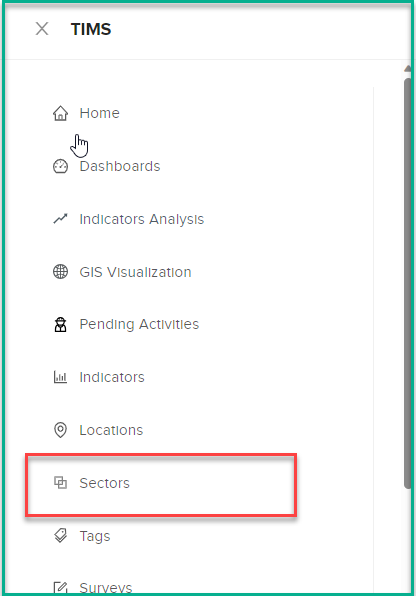
Open the Sectors page
Filtering Sectors
On the Sectors Page, you'll find filter options to help you narrow down the list of sectors based on different criteria:
    Name: Enter a keyword to filter sectors by name.
    Indicators: Select indicators to filter sectors that are associated with specific indicators.
    Status: Choose between "Active" and "Inactive" status.
    Visibility: Select between "Public" and "Private" visibility.
Adding Sectors
To add a new sector:
-
On the Sectors Page, click the "Add Sector" button.
-
In the "Add Sector" dialog, provide the following information:
Name: Enter a keyword to filter sectors by name. Indicators: Select indicators to filter sectors that are associated with specific indicators. Status: Choose between "Active" and "Inactive" status. Visibility: Select between "Public" and "Private" visibility. -
Click "Submit" to add the sector.
Updating Sectors
To update a sector's information:
-
Locate the sector you want to update from the list.
-
Click on update button .
-
In the Sector Profile, update the following attributes:
Name: Enter a keyword to filter sectors by name.
Indicators: Select indicators to filter sectors that are associated with specific indicators.
Status: Choose between "Active" and "Inactive" status.
Visibility: Select between "Public" and "Private" visibility.
Exporting Sectors Data
To export sector data:
-
Go to the Sectors page.
-
Use filters to display the desired sector data.
-
Click the "Export" button.
-
The system will generate a file (e.g., XLS) containing the visible sector data.